PricePilot.Keep selling prices connected to current cost.
PricePilot builds sell prices from the costs ProcurePulse and Doc-U already carry, measures the margin you actually earned on every invoiced sale, and tells you whether a margin drop came from cost, price or mix.
Every screen below was captured from the running platform with a demo organisation — not drawn as a mockup. The labels, columns and tiles are the ones your team would work in.
01
Every product, sorted by the ones losing you money
The pricing catalogue exists to answer one question quickly: which lines are underpriced right now. Costs arrive from ProcurePulse, margins come from your price list, and the filter chips split the catalogue into what's below target, what's on target and what has no cost recorded at all.
Columns run Product, Category, Cost, Margin, Sell, Sold 30d and Status, with badges for Below target, On target and No cost
Sort by lowest margin first, highest margin, highest price, most sold in 30 days or A–Z
The subhead states the position plainly: how many products, the average margin and the target you set
A product's own page charts realised margin and cost history, and links back to the Doc-U document the cost came from
app.vyso.co.za/pricepilot/products
02
Margin rules you can publish, compare and roll back
A price list here is a rule, not a static sheet: base cost times your margin, with per-row overrides where a product needs a different answer. Because pricing mistakes are expensive, every published version is kept — so you can compare what changed and restore a prior state in one action.
Create a general list or a customer-specific one, with a default margin percentage and a cadence of standard, daily, weekly or monthly
The editable table shows Product, Base price, Margin % and Sell price, with a reset control per row
Version history publishes a snapshot with an optional note, and shows whether you're up to date or carrying unpublished changes
Compare any published version against live margins, or restore it outright
app.vyso.co.za/pricepilot/price-lists
03
A reprice queue with the rand impact attached
Recommendations turn “below target” into a decision you can act on. Each card states the current margin against your target, how many units sold in the last thirty days, the before-and-after sell price, and what the change is worth per month. The logic is deterministic and stated on the card — no black box, and no guessing at your intent.
Every recommendation carries a High, Medium or Low confidence badge and a written reason for the suggested change
Accept a single change with an edited target margin, or accept the whole queue behind a confirmation step
A warning appears whenever a suggestion would lower a price rather than raise it
When nothing needs repricing the queue says so outright instead of inventing work
app.vyso.co.za/pricepilot/recommendations
04
Why your margin moved — cost, price or mix
“Margin is down” is not a finding. The variance panel decomposes the drift between your baseline and current margin into three signed effects that add up exactly: cost inflation, selling price and sales mix. Waste is shown separately, because food cost that never reaches an invoice line is a different problem with a different fix.
Baseline margin → current margin → drift, split across Cost inflation, Selling price and Sales mix over 30 or 90 days
A “Biggest cost movements” table names the products behind the shift with their unit cost and extra spend
Waste sits in its own sub-panel with a link straight into WasteWatch
Dimension tabs re-cut revenue, gross profit and margin by customer, category or product
app.vyso.co.za/pricepilot/analytics
05
The margin you actually earned, sale by sale
List price is a plan; realised margin is what happened. Recent sales is an auditable ledger of every invoiced order with its cost, profit and margin worked out — filterable down to exactly the orders that quietly went out below target or with a cost missing.
Columns run Invoice, Customer, Status, Revenue, Cost, Profit, Margin and Date
Filter by margin band — all, below target, at or above target, or missing costs — and sort by newest, biggest, most profit or worst margin
Stat tiles summarise the filtered set: sales shown, revenue, gross profit and average margin
The sales hub re-cuts the same realised sales by month, by customer and by product, with drill-downs into what each customer buys
app.vyso.co.za/pricepilot/recent-sales
06
Contract pricing that doesn't lapse quietly
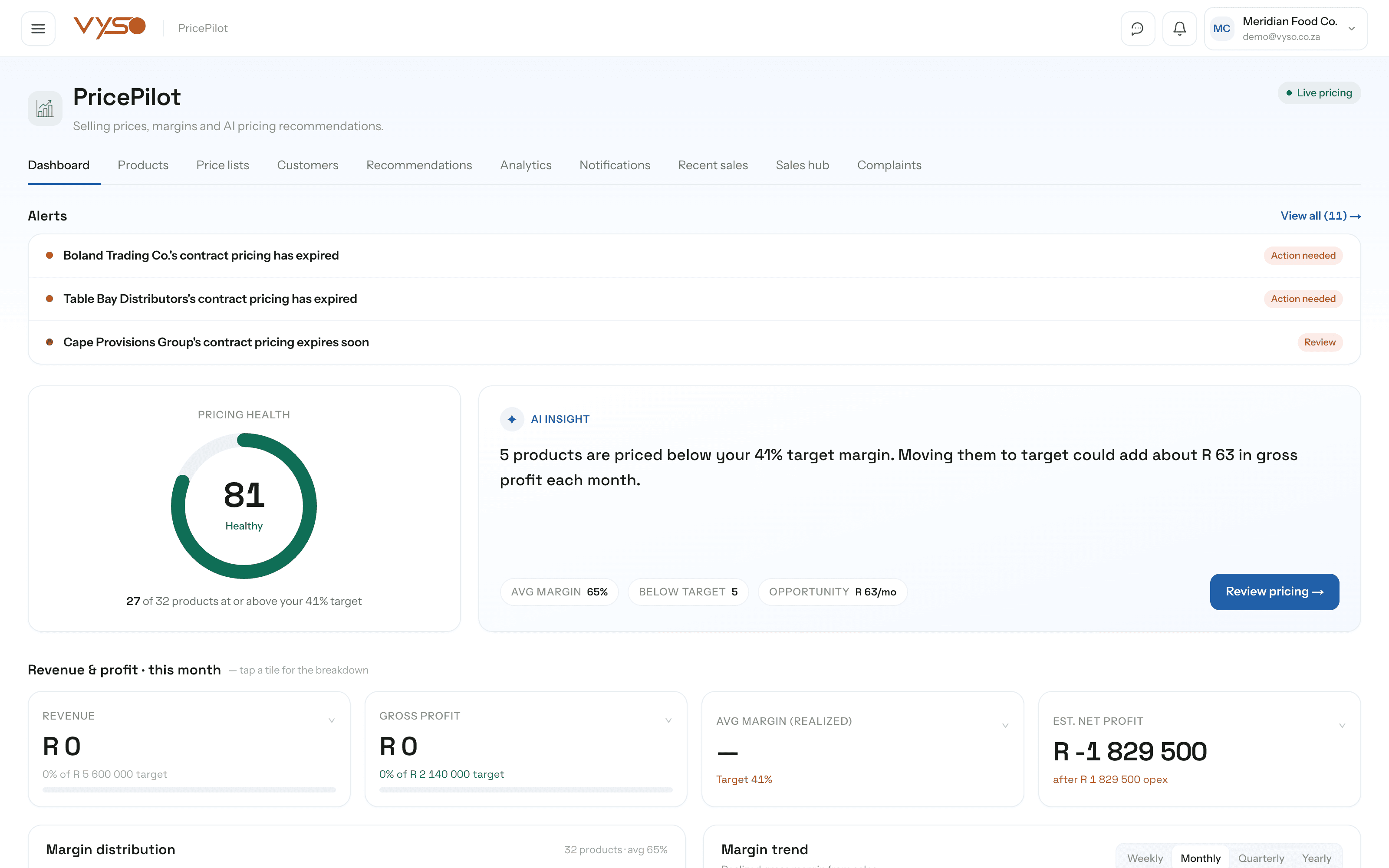
Negotiated prices have end dates, and the expensive failure is a contract that expires without anyone noticing. The customers view tracks every contract price list with its validity window and warns before it runs out — alongside a consolidated alert feed for below-target margins and supplier cost spikes.
KPIs cover Customers, On contract pricing, Expiring soon and Expired
Each contract row carries a validity badge — Active, Scheduled, Expiring soon, Expired or No expiry — with dates editable in place
An expiry reminders panel lists the contracts about to lapse, so the renegotiation happens before the invoice does
Notifications add cost spikes and cost creep per product on top of contract and margin alerts
How it fits your week
The routine, not the feature list.
Software only helps if it changes what someone actually does on a Tuesday. This is the working rhythm PricePilot is built around.
1
Set the target once, in PlanWise
Target margin lives with your other goals rather than buried in a pricing screen. PricePilot measures everything against it and links you there if it isn't set.
2
Build the price list off real cost
Products and their costs are already there from ProcurePulse. You add the margin rule — general, per customer, with overrides where a line needs a different answer.
3
Work the reprice queue
Recommendations shows what's below target with the monthly rand impact of fixing it. Accept individually or in bulk, and publish the version.
4
Check what you actually earned
Recent sales shows realised margin per invoice. Filter to below-target and missing-cost orders — that is where the leak usually is.
5
Explain the movement, don't guess at it
When margin drifts, the variance panel says how much came from cost, how much from price, how much from mix, and how much waste took out before the sale.
Works with the rest of Vyso
Connected where the workflow needs it.
These are real data relationships, not a logo wall. Each one describes what actually moves between PricePilot and the module beside it.
Including the parts that are still on the roadmap. You should be able to plan around what exists today, not around a promise.
Can we set different prices per customer, and get warned before a contract expires?
Yes. A price list can be attached to one customer with valid-from and valid-until dates. Contracts show as Active, Scheduled, Expiring soon or Expired, and an expiry reminders panel lists the ones about to lapse.
If margin drops, can the system tell us whether it's cost or underpricing?
That is exactly what the variance panel does. It decomposes the drift into cost inflation, selling price and sales mix — three signed effects that sum to the total movement — and shows waste separately on top.
Do we have to recalculate sell prices every time a supplier cost changes?
No. Sell price is computed live from the current cost and your margin rule. Cost spikes and slower cost creep are detected per product and surfaced as reprice alerts with a suggested new price.
Are the recommendations AI-generated?
No, and we would rather be straight about it. Recommendations and their confidence badges are produced by deterministic rules over your own cost, margin-target and sales data — the reasoning is printed on each card. Vyso does use AI elsewhere, in document extraction and product matching.
Can we undo a pricing change?
Yes. Publish a version of a price list, compare it against live margins later, and restore it in one action if a change turns out to be wrong.